Implementing S3 as Primary Stoarge for Nextcloud
This tutorial will guide you through the steps to deploy S3 object storage as your primary storage for your Nextcloud server.
Configure S3 compatible storage as primary storage
- on your local machine install openstack-cli
virtualenv -p python3 openstack_venvsource openstack_venv/bin/activatepip install --upgrade pippip install python-openstackclient- In your leafcloud environment download your openstack rc file
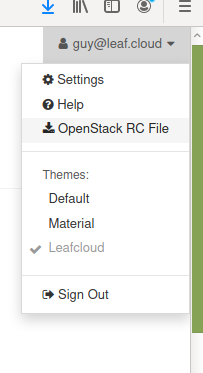
- run the following to get access to your openstack cli
source ~/leafcloudopenrc.sh - Create a container for nextcloud
openstack container create nextcloud - run the following line to create S3 compatible credentials for the nextcloud container & paste them in a text document for use later.
openstack ec2 credentials create - On your remote instance, backup your original configuration file by changing it's name
sudo mv /var/www/html/config/config.php /var/www/html/config/config.php.bkp - show the backup file and paste the content into your text document, you will need it later
sudo cat /var/www/html/config/config.php.bkp - Create a new config.php file for nextcloud,
sudo nano /var/www/html/config/config.php - Paste the following configuration and fill in all fields with your own information:
<?php $CONFIG = array ( 'instanceid' => '<take_from_config.php.bkp>', 'passwordsalt' => '<take_from_config.php.bkp>', 'secret' => '<take_from_config.php.bkp>', 'trusted_domains' => array ( 0 => '<your_domain>', ), 'dbtype' => 'mysql', 'version' => '24.0.6.1', 'overwrite.cli.url' => '<https://your_domain>', 'dbname' => '<take_from_config.php.bkp>', 'dbhost' => 'localhost', 'dbport' => '', 'dbtableprefix' => 'oc_', 'mysql.utf8mb4' => true, 'dbuser' => '<take_from_config.php.bkp>', 'dbpassword' => '<take_from_config.php.bkp>', 'installed' => true, 'objectstore' => array ( 'class' => '\\OC\\Files\\ObjectStore\\S3', 'arguments' => array ( 'bucket' => '<your_bucket_name>', 'autocreate' => true, 'key' => '<object_store_access>', 'secret' => '<object_store_secret>', 'hostname' => 'leafcloud.store', 'port' => 443, 'use_ssl' => true, 'region' => 'europe-nl-ams1', 'use_path_style' => true, ), ), 'memcache.distributed' => '\\OC\\Memcache\\Redis', 'memcache.locking' => '\\OC\\Memcache\\Redis', 'memcache.local' => '\\OC\\Memcache\\Redis', 'redis' => array ( 'host' => '127.0.0.1', 'port' => '6379', 'timeout' => '0.5', 'dbindex' => '0', ), 'overwriteprotocol' => 'https', 'htaccess.RewriteBase' => '/', 'logtimezone' => 'Europe/Amsterdam', 'simpleSignUpLink.shown' => false, 'default_language' => 'en', 'defaultapp' => 'files', 'skeletondirectory' => '', 'share_folder' => '/Shared', 'default_phone_region' => 'NL', 'updatechecker' => false, 'tempdirectory' => '/var/www/html/data//tmp', 'datadirectory' => '/var/www/html/data/', ); - save the file
- reboot the server
sudo reboot - after the server reboots you can start uploading files and you should see the files appear in your object store containers in your create.leaf.cloud environment